Manage Access Key
If you use Sparrow Enterprise, you can issue an Access Key to connect Sparrow Enterprise with Sparrow SecureHub. Connected services can perform actions needed for software supply chain protection, such as uploading and sharing SBOMs.
-
Click Settings icon in your organization.
-
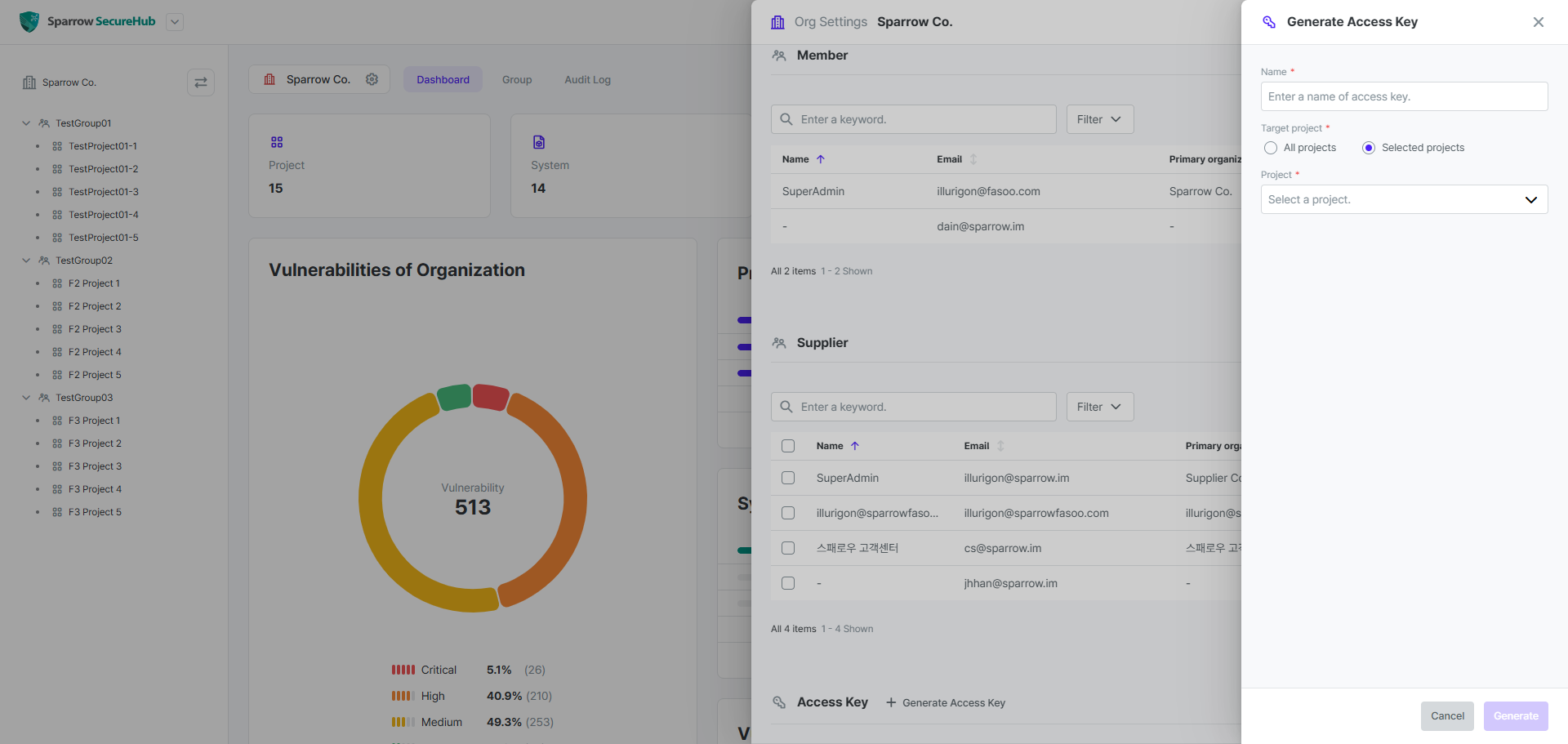
Click Generate Access Key in the Access Key section.
-
Enter the Name of the access key and select the Target Project.
-
If needed, set the Project of the access key.
-
Click Generate button.
-
Click copy icon to copy the generated Access Key.
Tip: You can only issue one Access Key in a Personal Organization.
Name*
The name of the access key.
Target Project*
The scope of access for the access key, which can be set to either All Projects or Selected Projects. If you set this option to All Projects, the user can access all projects created in that organization. If you set this option to Selected Projects, you can select the projects that can be accessed in the organization.
Project
The project to which the access key applies. If you set the Target Project to Selected Projects, you can select the projects that can be accessed in that organization.